
Let’s talk about family chaos for a minute
Whether you’re a blended family like us or a first family, the older the kids get the more insane the schedule gets! Our family can’t be the only household where time management is a struggle and “days off” are non-existant, right? There’s a couple things that have helped us a LOT and we’ve used them in creative ways that I thought were worth sharing in case anyone out there (like me) is at the end of their rope! Leaning into these tricks have helped me feel like I’ve finally got my head above water!
Skylight Calendar
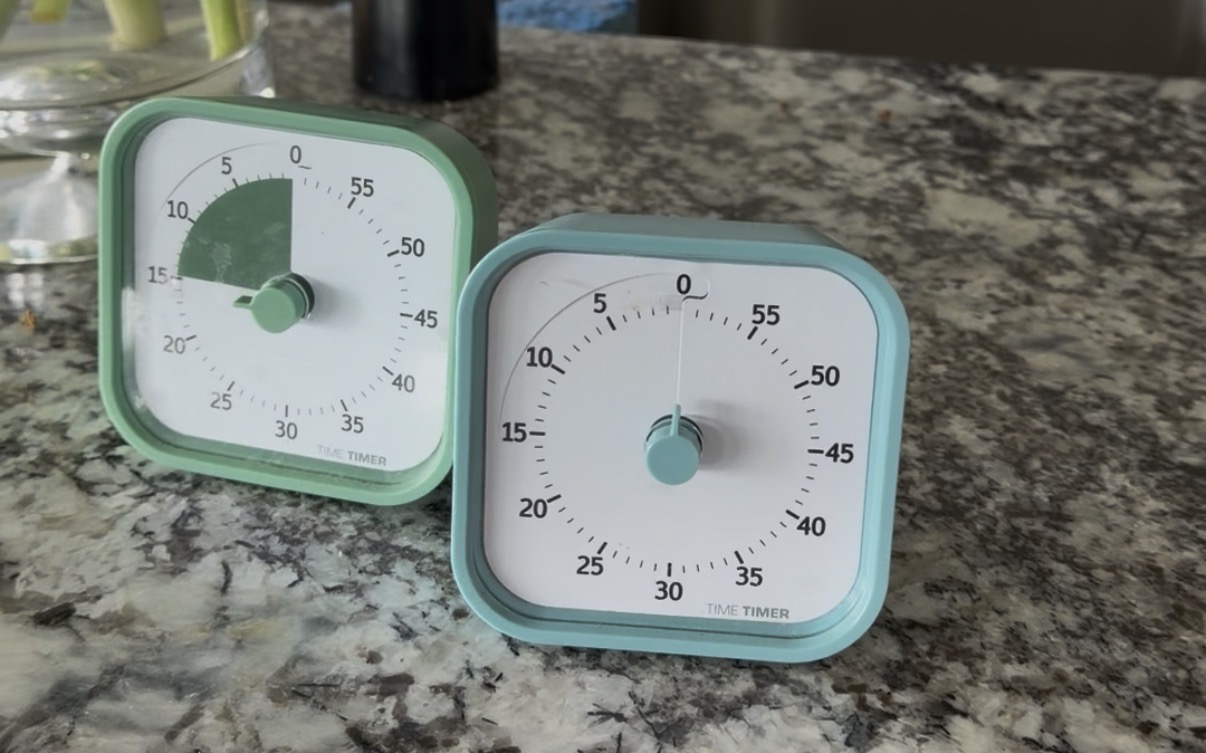
Visual Timers

To be honest, the price tag on this put me off for a long time. BUT when we started missing important activities, my stress level was through the roof, and it was the only thing I hadn’t tried… I bit the bullet. We went all in with the 27” size and mounted her to the wall right where everyone can see. Not only would everyone be able to see the schedule but everyone would also be able to HEAR the reminders. We’re a year into our Skylight life and its been worth every penny!
THE Calendar
The Skylight is primarily a calendar. You can set up profiles for every member of your family so events on the calendar are color coded to the individuals involved. Visually it’s easy to see who is where and when. I can assign which parent is taking Caed to soccer, who is taking Shae to art class, I even schedule my work out times so that my health isn’t the activity that gets skipped due to business.
I set up two unorthodox profiles with our calendar that have helped a lot. One for “school” and one for “events/holidays”.
The School profile is for (obviously) anything school related. Days off from school, late starts, early release, first day and last day, spring breaks, on and on and all in one color on the calendar. If there is an event for Caeds school and not Shaes (or vice versa) the event can get color coded for both “School” and whichever kid. It adds a lot of color to the board but is helpful to delineate which category of my brain needs to be paying attention.
The Events/Holidays profile is used (again, obviously) for events and holidays that effect everyone in the family. The Skylight, although it’s a calendar, doesn’t automatically load all the regular calendar holidays on it. So although we all know the Fourth of July is on July 4th, I admit I had reached a point where scrolling through the to-do list I’d breeze past an obvious date like that and completely forget our annual 4th of July BBQ needed to be planned for! This year we have a lot of family weddings so those get categorized as an event. Our individual family member birthdays would go on the calendar under our own profiles, but everyone else? They’re an event calendar entry. I made this profile grey so they show up on the calendar but they aren’t in my face.
The visual is so helpful no only to keep things straight but to also see gaps. We have reached a point in life where we need toschedule down time. A weekend without an event planned is a nice white open square that I can point to and say “we aren’t scheduling anything HERE!!” Suddenly I have a day to catch up on yard work, cleaning the house, or I can read a book (can you imagine?!)
The Meal Planning/Recipe Box
If you’ve been following our journey at all you’d already know Michael and I take our health and fitness seriously. And we’re trying to start heathy habits with the boys too so they don’t have as many unhealthy habits to break in their future. Meal prep has been a major part of that journey for me. We’ll get into that more later but the way the Skylight helps me with that is through the Planning section of the calendar. I can plan out Breakfast, Lunch, Dinner, and Snacks. I don’t plan all 4 but I do plan out Lunch and Dinner. I plan all these things out while I’m making my grocery list so I can make sure that we have everything we need for what we have planned for the week.
Lunch Planning: The weeks lunches for us adults are all prepped on Sundays. At that time I also plan out what the kids will have. Some days they have a hot lunch that I’ve prepped for them, other days they’ll have a cold lunch prepped morning-of, OR they have an insane schedule of class-provided hot lunches or school-provided pizza days. Having a platform where I can visually organize all of those details helps SO MUCH!
Dinner Planning: This often depends a lot on what’s going on. Soccer games are at a different time every week, events at Church, Family Fun Days at school, there’s always something going on. So planning out dinner on Sundays means that the fridge is stocked with everything we’ll need. No emergency stops at the grocery store that no one has time for!
The Recipe Box component of the meal planning is probably the best part about it. With the App on my phone, I can pull up the recipe for our usual meals no matter where I am. So if I’m having coffee in bed making the grocery list, I’ve got the ingredient list right there. If I’m at the grocery store and can’t remember what ingredients I need, I’ve got the ingredient list right there. When I’m in the kitchen cooking I don’t have to find which cookbook I originally got the recipe from, I’ve got it RIGHT THERE!
The Task List & Rewards
This is really what separates the Skylight from just a shared calendar. The task list and rewards system was a major hit with my kids. As a disclaimer- they’ve temporarily lost their privilege to use the calendar… as hilarious as that sounds. They got a little too excited about this and started checking off tasks without completing them and at the time it was defeating the purpose of taking things off my to-do list. BUT. That being said, here’s how we utilized the tasks and rewards.
Task lists can have either individual tasks or routines. For example: Every morning the kids are expected to make their bed, brush their teeth, and get themselves dressed. This can be put in as their “Morning Routine”. The individual tasks will be added to their list, every time they complete a task they get a little celebration. In the morning, only the Morning Routine will show on their list. Same thing with the evening. Later in the day the calendar will display their “ Bedtime Routine”. All of those specific things can be put in as individual tasks, but creating a routine makes it easy to schedule “these are things they do every day” and that’s that. An example of individual tasks would be things I want to assign rewards to, such as special chores that we do on the weekend. Those tasks can be assigned a certain number of stars which, when completed, get deposited into their “account”. Those stars can be redeemed whenever your family chooses for rewards that you can customize. In our household, they got stars for their weekend chores, but they also earned stars if they accomplished their daily routines independently (I was really tired of repeating the same instructions every day and wanted to encourage some independence). We set rewards such as “5 bucks” or “an ice cream date” or “a new book $20 or less”.
Because they lost the privilege, they now still have to do all their regular chores and routines but they don’t get the rewards for it. Shouldn’t have fudged the system I guess *shrug*
The App
There are so many ways to customize the Skylight, most of which happen on the app. You can share the app with member of your family, so my husband and I both have the app on our phone. We each can choose to have push notifications for calendar events, we can check off tasks on the task list, we can check what’s for dinner tonight. It’s so helpful to have access to all of the family information all the time.
Visual Timers

Meal Prep Sundays
Meal Prep Sundays has been a tradition for nearly 10 years now! This afternoon “chore” initially feels like a lot of work but it sets up our family really well for the entire week! Not only does everyone have meals weighed and planned with their individual macros in mind, but it also saves us a ton of money and time! No more stopping for fast food every day, no more emergency trips to the grocery store. Once I’ve come home with the groceries-planned for with the help of our Skylight Calendar Meal Planning- I spend the afternoon cooking up meats, cards, and veg. The boys and I are generally on a 1800-2000 calorie goal, Michael should be closer to 2200-2400. But the most important in our household is the 0.7 – 1.0gm of protein per pound of body weight. Which is a hard goal to reach! If we can get about 3-4 ounces of meat into the kids for lunch and dinner, plus a quality breakfast and high protein snack, we usually hit our goals!